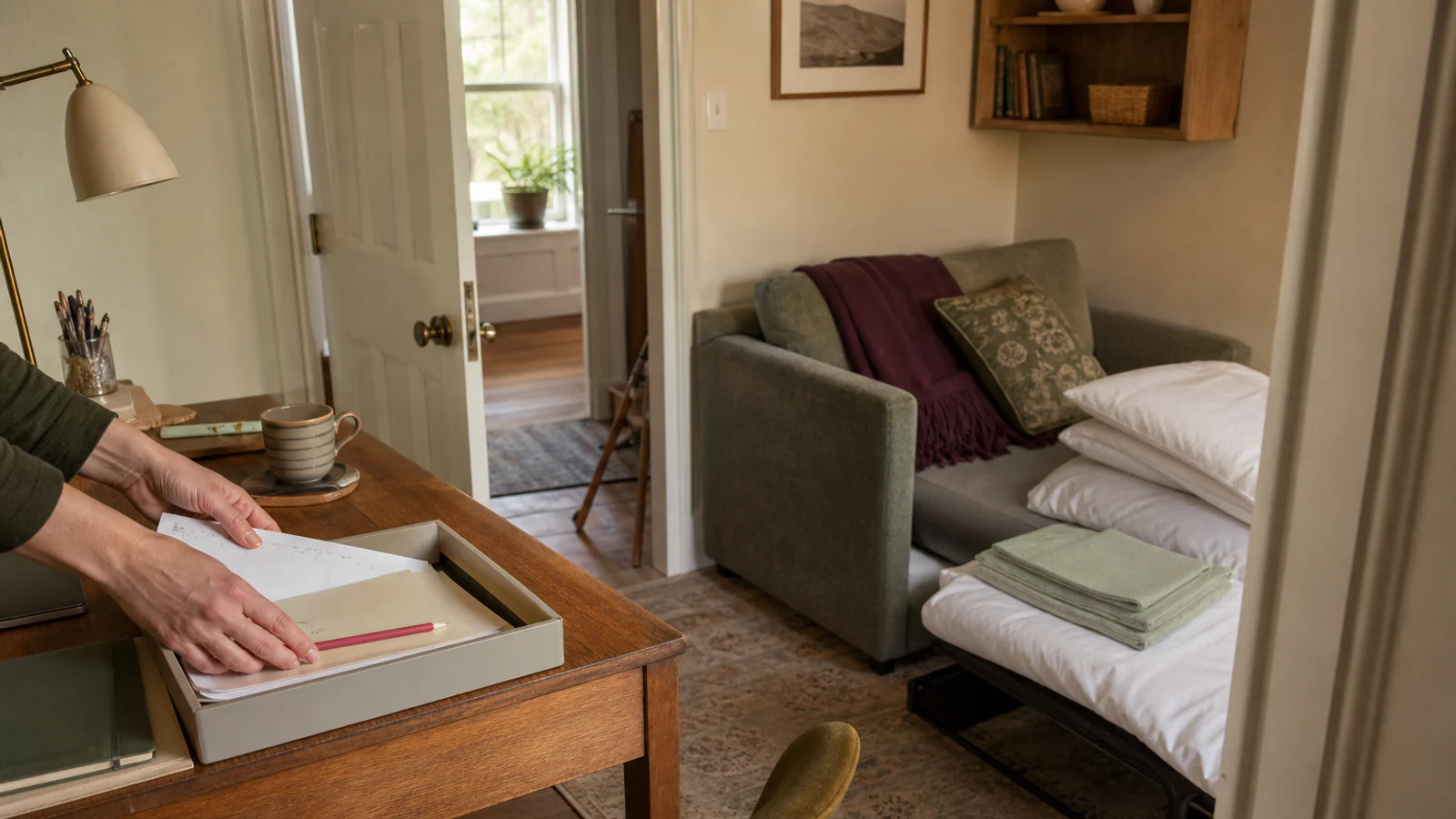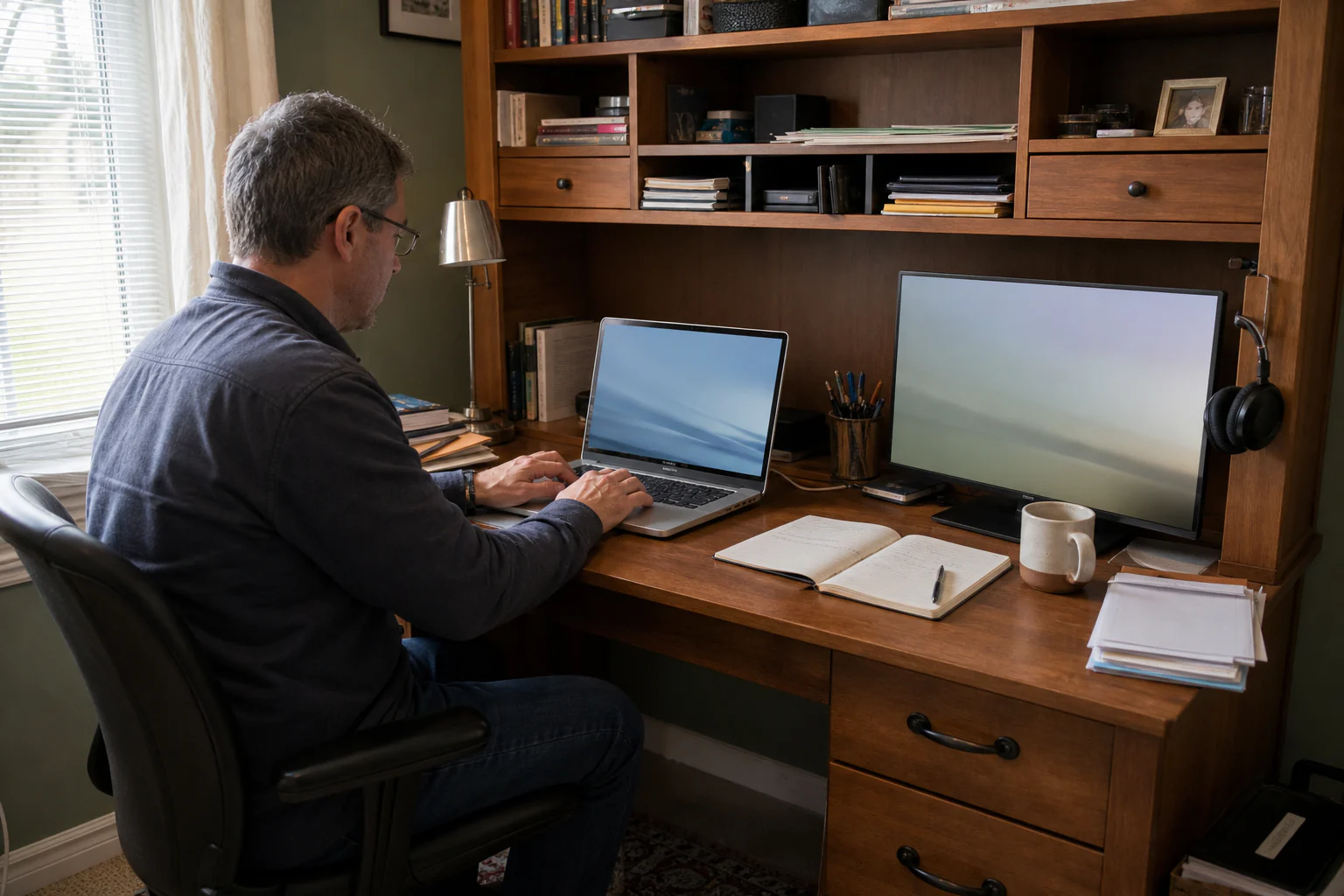
An elevation across one working day
Organise the hutch by time, not by stationery category.
Morning setup, noon reach, afternoon glare, and evening close-down ask different things of the same 100 centimetres.
- 01Arrive
- 02Work
- 03Shift
- 04Close
At 9:10, the desk looks restrained. At 11:40, a notebook covers the keyboard, the charging cable catches a mug and the shelf above the monitor has become a decorative forehead.
A desk hutch often fails because it is arranged as a photograph: attractive things at eye level, boxes above, a lamp squeezed wherever it fits. A working day asks different questions. What needs to be reached without standing? Where can the eyes rest? Which objects need to leave the desk at the end of the day? Can the monitor sit far enough away without being pushed under a shelf?
The first rule is simple:
The hutch must protect the work surface before it decorates the wall above it.
You do not need every centimetre to store something. Empty vertical space can be the room required to see, reach and think.
Audit the desk at four times
Four-time audit
Photograph the desk when its needs change
- 08:45ArrivalWhat must be placed before work can begin?
- 12:30MiddayWhat has migrated into the active surface?
- 16:00GlareWhich screen, paper, or shelf is hard to see?
- 18:05CloseWhat has no quick route home?
Do not clear the desk before observing it. Take a quick photograph or note at:
- the moment work begins;
- the busiest hour;
- the first break;
- the end of the day.
Circle every object that migrates. A pen cup may stay obediently in place while headphones, reference papers, charging devices and water move repeatedly. Migrating objects need a landing point near the work—not a more attractive container far above it.
Notice what the hutch makes you do:
- lean forward to see the monitor;
- lift a shoulder to reach a shelf;
- store daily items above head height;
- turn away from the screen to find a notebook;
- work in front of a bright window reflection;
- leave cables crossing the hand path;
- keep the laptop open because closing it requires moving six objects.
The most useful change may be subtraction. A shelf full of decor can be visually lighter than a bad workstation and physically much heavier.
Draw five vertical bands
Desk elevation
Five bands, five different jobs
- Archive + displayRarely handled, visually quiet
- Daily reach shelfOne-handed access, no digging
- Seeing bandMonitor, sightline, task light
- Active surfaceThe work happening now
- Leg + chair spaceClear movement underneath
Make a side elevation of the desk and hutch. It does not need to be elegant. Draw the floor, seat, work surface, monitor and shelves. Divide the setup into five bands.
Band 1: leg and chair space
Nothing stored here should force knees sideways or prevent the chair from approaching the desk. A printer, waste bin or cable bundle under the centre can quietly ruin the entire setup.
If the desk is fixed and too high, a footrest may help some users, but it does not solve every mismatch. Adjustable furniture, different bodies and mobility equipment change the correct arrangement. Treat workplace guidance as a starting point and seek an occupational or medical professional when pain or disability requires individual advice.
Band 2: the active work surface
Reserve the front and centre for the task performed most often. The keyboard, notebook or making mat belongs here—not a permanent display.
Create three small territories:
- primary: the task directly in front;
- support: the dominant-hand side for mouse, pen or tools;
- landing: the opposite side for one incoming item.
If every side is “support,” the primary task will continually shrink.
Band 3: the seeing band
This is where the monitor, pinboard or one useful visual reference lives. Do not fill it merely because it is eye level.
OSHA's computer-workstation guidance recommends placing the primary monitor directly in front, generally at least 20 inches (50 cm) away, with the top line at or below eye level, and positioning it perpendicular to windows to reduce glare. These are general workplace guidelines, not a personal clinical prescription.
If the hutch prevents a comfortable monitor distance, consider:
- removing or raising a removable shelf according to the manufacturer's design;
- pulling the desk away from the wall if stable and practical;
- using a shallower monitor base or appropriate arm installed to its load instructions;
- moving the monitor out of the hutch rather than accepting a cramped neck position.
Do not cut, drill or remove structural parts from a hutch without understanding how it is supported.
Band 4: the daily reach shelf
Give this shelf to objects used at least once most workdays: a current notebook, headphones, charging dock, document tray or one reference book.
Store by action, not category. “Things used before a video call” can share a tray even if one is stationery and one is technology.
Use shallow containers so objects do not form a second hidden row. A beautiful deep basket above eye level is a forgetfulness machine.
Band 5: archive and display
The highest or least accessible shelf is for light, infrequent objects and a limited display. Heavy files, frequently used equipment and anything dangerous to drop do not belong there.
If the hutch is tall or top-heavy, follow the manufacturer's anchoring instructions and use fixings appropriate to the actual wall. Renters need landlord permission where required; “removable” is not a safety category.
Give the light a surface to land on
Glare test
Light the task, not the eye
- GlareBare lamp visible from the chair; screen mirrors the window.
- Useful lightShade hides the source; beam lands on paper; monitor sits perpendicular to the window.
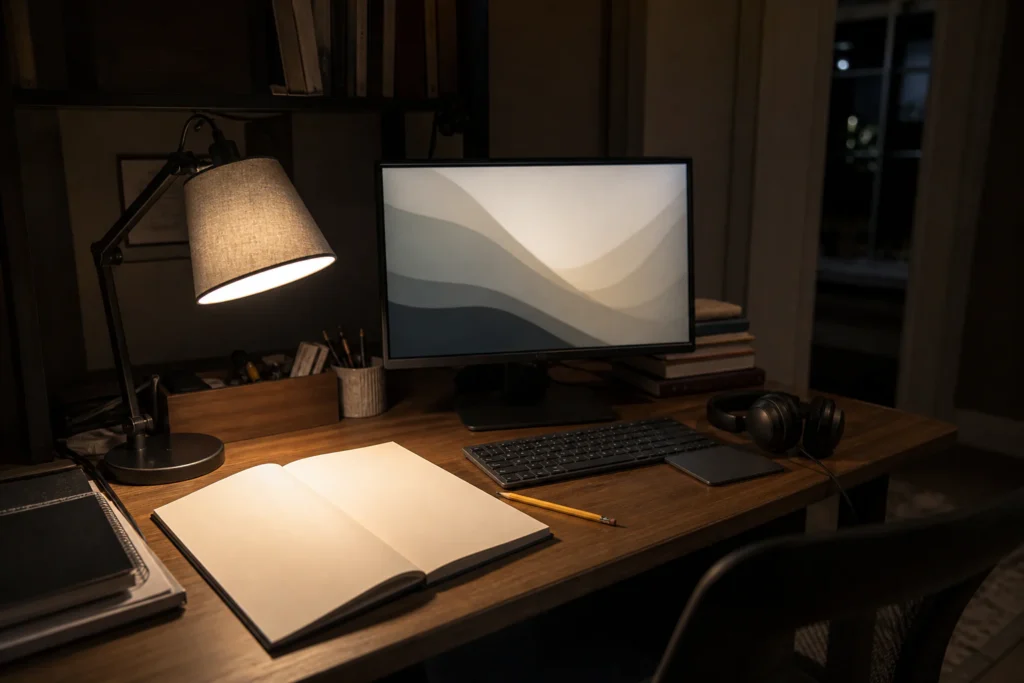
A lamp earns desk space by lighting the task without reflecting in the screen or shining into the eyes.
Test it at night:
- Put a sheet of matte white paper where you read or write.
- Turn on the lamp and normal room lights.
- Sit in working posture.
- Look for the bare bulb, hot reflection on the screen and shadow from your writing hand.
- Move or shade the lamp before buying a brighter source.
OSHA advises arranging workstations to minimise glare from windows, overhead lights and desk lamps; a monitor at right angles to a window often helps. Indirect or shielded lighting can reduce intense contrast.
A clip lamp on a shelf can free the desk, but the shelf must support it, the clamp must not damage a weak panel and the cable must not hang where it can be pulled. A light fixed under a shelf must be a listed product installed according to instructions; do not improvise mains wiring.
Route cables by destination
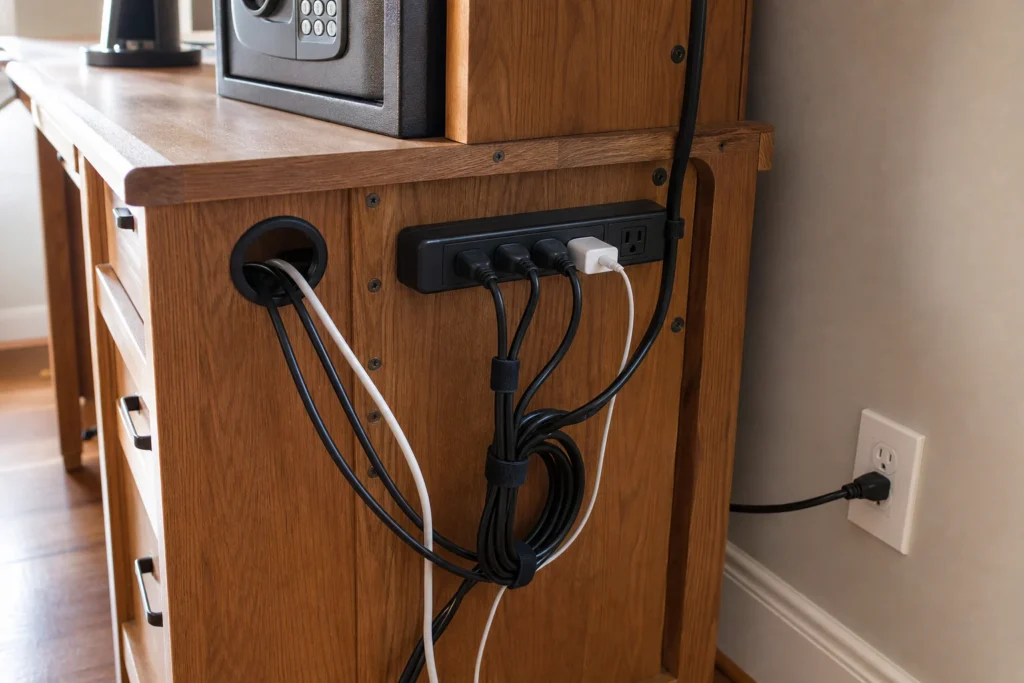
The cable plan needs three visible decisions:
- where power enters;
- where devices charge;
- where excess length waits without becoming a snag.
Run cables along a back or side route, not across the hand path. Keep power strips accessible for inspection and use them only within their ratings and instructions. Do not hide overheating equipment in closed decorative boxes or run flexible cords under rugs.
Label cables at the device end if several look identical. A tiny flag with a real word is more useful than a colour system nobody remembers.
If the desk must close at night, make one charging dock the last destination. A loose charging lead is not a storage plan; it is an object looking for gravity.
Build a five-minute close-down
Five-minute close-down
End work with a visible finish line
- 01CaptureWrite the next action.
- 02ReturnPut daily tools in their reach band.
- 03ChargeConnect only what needs power.
- 04ClearLeave one open landing area for tomorrow.
The close-down should require no major sorting. It has five moves:
- Put the current paper project in one open file or tray.
- Return daily tools to the reach shelf.
- Move cups and dishes out of the room.
- Connect devices at the charging point.
- Leave the primary work surface ready for the first task tomorrow.
If a move takes longer than a minute, the destination is too full, too far away or too ambiguous.
The goal is not to conceal evidence that work happened. It is to stop today's work occupying tomorrow's starting point.
A worked setup: 100 cm desk, fixed two-shelf hutch
100 cm worked setup
Protect the centre; let the edges carry support
- Task centre
- Current file
- Power landing
The reader uses a 14-inch laptop, separate keyboard, notebook and occasional second screen. The hutch's first shelf sits too low for the larger monitor. A printer occupies the leg space. The top shelf holds six magazine files that are rarely opened.
The revised plan:
- printer moves to a stable side cabinet because it is used twice a week;
- laptop sits on an appropriate riser, with separate keyboard and mouse;
- second screen moves to the side cabinet and is brought out only for the monthly task that needs it;
- the first shelf holds one current-project tray and a headphone hook;
- three archive files move to closed storage; the remaining files are labelled by action;
- a shaded lamp sits to the opposite side of the writing hand;
- power enters at one rear corner and the charging dock sits on the daily shelf.
No new hutch is purchased. More important, the revised plan does not pretend the desk can permanently host every possible work mode.
What often looks good and works badly
A row of identical boxes
It looks calm, but every object requires opening and remembering. Use closed boxes for archives, not daily ambiguity.
Books directly above the monitor
Visually scholarly; physically heavy and often difficult to reach. Keep only active references in the daily band.
A shelf packed to both edges
It creates no visual pause and leaves no landing point for a current object. Capacity is not the same as usefulness.
A lamp chosen as sculpture
A lamp can be beautiful, but if its shade creates glare or its base consumes the notebook space, it is decor with an electrical cord.
Pegboards full of tools
Excellent for genuinely repeated actions. Noisy when filled with “office” objects copied from a photograph. Hang only the tools that regularly leave and return.
The desk-hutch decision test
Decision test
A hutch earns its place when all six answers are yes
0 of 6 complete
For each item, ask:
- Is it used today, this week or someday?
- Does it need to be seen to be remembered?
- Is this reach safe and comfortable?
- Does its weight belong at this height?
- Does it support the main task?
- Can it return here in one move?
If the answer is vague, the object may need a different room, not a better basket.
At the end, leave one small visual object if you want one: a photograph, stone, postcard, plant suited to the conditions or a piece of art. A desk is allowed personality. It just should not charge rent to the keyboard.
Useful next action
Photograph the desk at the busiest hour tomorrow. Circle the five objects that moved most. Give those five—not the entire stationery category—the first useful shelf.
About the visuals in this guide
These are original Dealsmaster editorial illustrations produced with AI assistance for explanation and inspiration. They do not document a real household, tested installation, reader result, or professional inspection.
Sources and limits
Useful advice should show its working
Material claims were checked against the primary guidance below. Dealsmaster dimensions and layouts are editorial planning starting points, not universal codes, professional assessments, or product instructions. Local rules, tenancy terms, building conditions, user needs, and manufacturer guidance control.
- OSHA — Computer Workstations: MonitorsMonitor distance, eye-level, and window-orientation guidance.
- OSHA — Computer Workstations Purchasing GuideDesk depth, work-surface, and under-desk clearance context.
Disclosure: This guide contains no affiliate links, sponsorship, or claimed product testing. Constructed examples are planning examples, not reported Dealsmaster households.